Ask your treatment record
Find and understand information already stored in your Hormone Ledger account. Ask about blood results, medication, injections, treatment history and specialist guidance using everyday language.
Sign in and enable your record assistant in Settings to get started.
What can I ask?
Start with the details you want to find in your saved record.
- What was my last estradiol result?
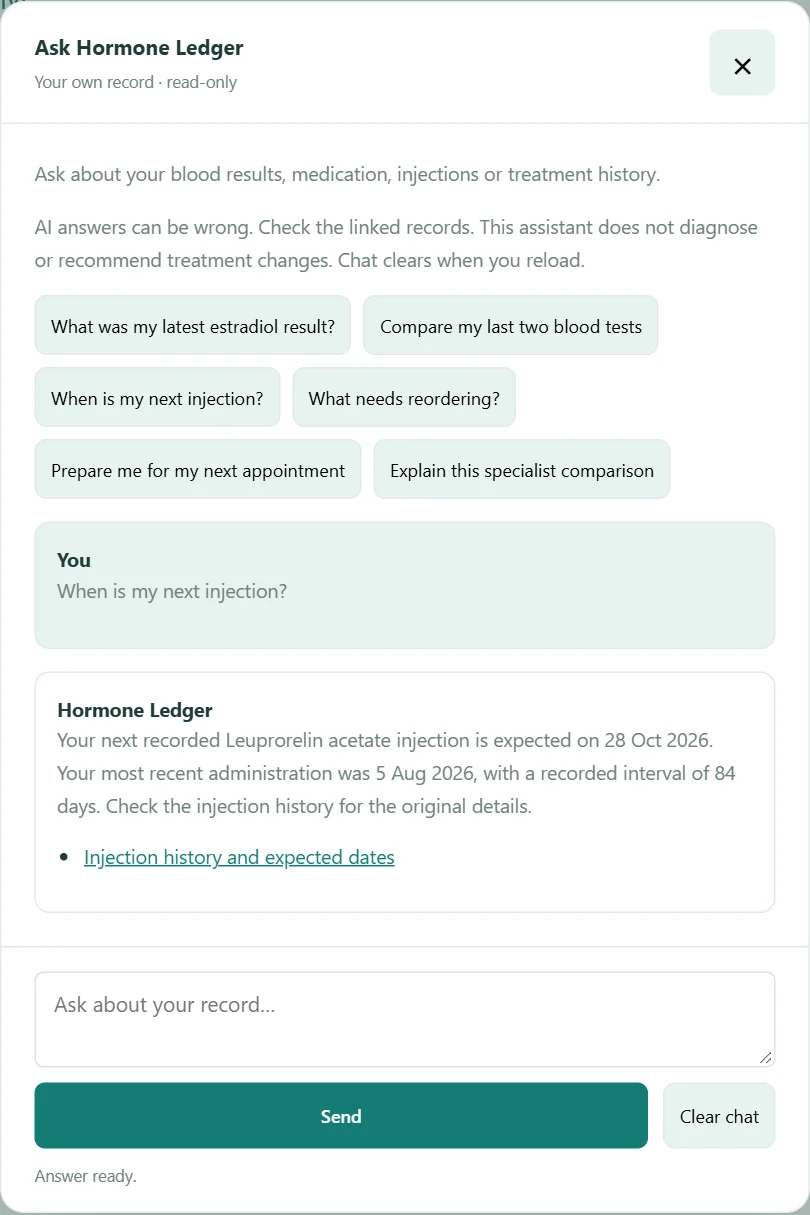
- When is my next injection?
- What changed between my last two blood tests?
- What medication was I taking at this blood test?
- When will my prescription stock run out?
- Show my recent testosterone results.
- Why does this result say not comparable?
- What does my specialist guidance say?
- Prepare a summary for my next appointment.
- What changed in my recent treatment history?
Your records are easier to use when you can ask questions
Find information faster
Ask for a result, an injection date or a treatment detail without opening every record.
Compare recorded results
Review recent blood tests and see how the recorded values changed, with original units preserved.
See the treatment behind a result
Keep a blood sample connected to the medication and regimen recorded at that time.
Keep practical dates in view
Ask about expected injections, stock estimates and medication reminders calculated from your records.
Prepare for appointments
Bring recent results, treatment history and recorded appointments together in a summary you can check before your review.
Built around your own Hormone Ledger record
When you are signed in and have enabled the assistant, it works with the records in your own account. It does not search other users’ records.
Your full history is not sent for every question. Only relevant information is selected for the request. Answers may cover recent records rather than your entire history; use the linked records to check the details, or open a specialist comparison to ask about that particular test.
Explore blood test tracking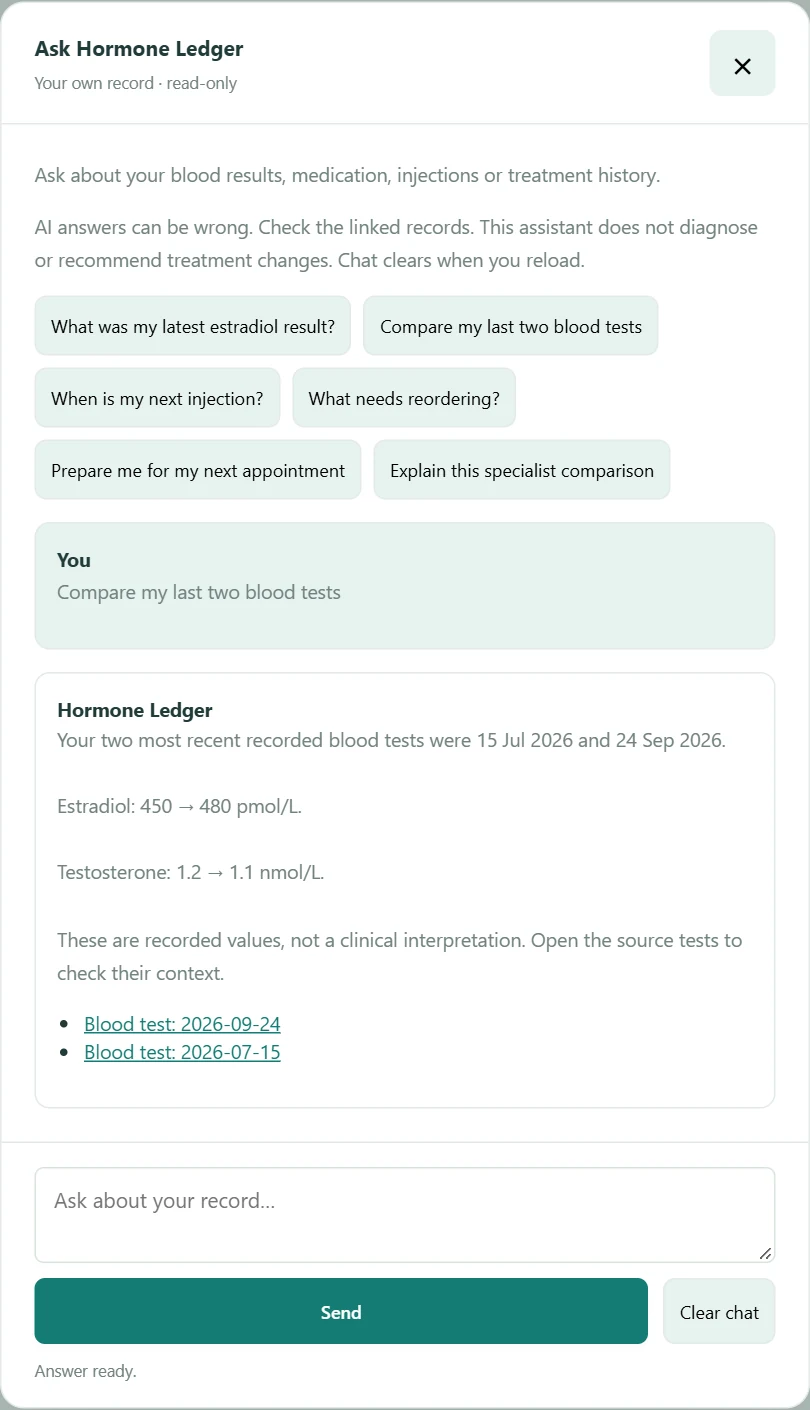
AI with privacy controls
Ask Hormone Ledger is optional. Enable it in Settings & privacy after reading the AI notice, or turn it off and continue using the rest of Hormone Ledger normally.
Your question and relevant record information are sent to OpenAI to produce an answer. Chat is not saved as a conversation in Hormone Ledger and clears when you reload or select Clear chat. OpenAI may retain API data for abuse monitoring.
Read the Privacy NoticeHelpful context, not medical advice
The assistant can explain and summarise saved information. It does not diagnose, prescribe or recommend changing medication, doses or injection intervals.
Laboratory flags and recorded specialist guidance keep their separate roles. AI answers can be wrong: check the source links, and speak with your GP, endocrinologist, gender clinic or other treating professional about treatment decisions.
See how specialist guidance is recordedQuestions before you sign in?
The public website assistant can answer product questions about features, pricing, setup and privacy. It has no access to private treatment records. Please keep personal health information out of the public chat.
Questions about Ask Hormone Ledger
What is Ask Hormone Ledger?
An optional assistant within Hormone Ledger. Ask product questions on the public website, or enable the signed-in assistant to find and summarise information in your own treatment record.
Can Ask Hormone Ledger see my treatment record?
When you sign in and enable it in Settings, relevant information from your own account can be used to answer your question. Check the linked records before relying on an answer.
Can it see another user’s records?
No. The record assistant works with the signed-in user’s own records. It does not search through other accounts.
Can I turn AI off?
Yes. Turn off your record assistant in Settings & privacy. You can continue using Hormone Ledger without it.
Does it give medical advice?
It helps explain recorded information and its context. It does not diagnose or prescribe, and it does not replace your treating professional.
Can it recommend changes to my HRT?
No. It cannot recommend starting, stopping or changing medication, doses or injection intervals. Discuss treatment decisions with your clinician.
What kinds of questions can I ask?
Ask about recent blood results, medication recorded at a sample date, expected injection dates, stock estimates, treatment history and stored specialist comparisons. You can also ask for a recent-record summary before an appointment.
Does the public website assistant access my health records?
No. Public chat answers product questions only. Sign in and enable the record assistant for your own saved information; do not paste personal health information into public chat.
How is my information used when I ask a question?
Your question and relevant information selected from your account are sent to OpenAI to produce an answer. Your full history is not sent for every question. Hormone Ledger does not save conversation contents; OpenAI may retain API data for abuse monitoring. Read the AI notice in Settings and the Privacy Notice before enabling it.
Is AI usage unlimited?
No. Ask Hormone Ledger is included with the subscription and is subject to fair-use request limits. If you reach a limit, the assistant will tell you to try again later.